The Blue Screen of Doom (Or At Least, Mild Displeasure)
It usually happened right when we needed it most. Maybe I was trying to save a word document that had been open for forty-five minutes without an auto-save buffer. Or perhaps my younger brother was frantically clicking through a game menu while the CPU fan spun up like a jet engine preparing for takeoff. One moment, the screen was bright with life; the next, it vanished into a sea of solid, unblinking blue.
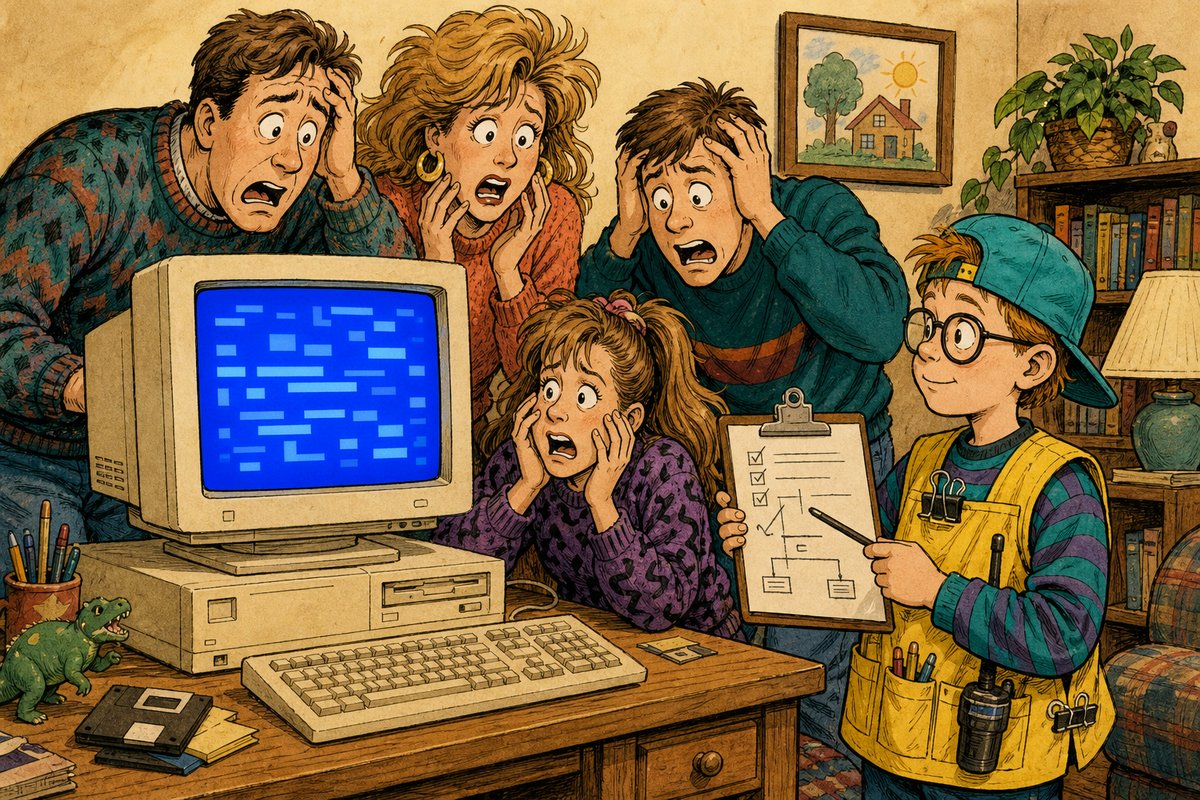
One-panel evidence: the computer replaced everything with blue text and made the youngest person in the house the incident commander.
The ritual began immediately. First, we froze, staring at the rectangle as if willing it to change its mind through sheer force of will. Second, I would stand up and walk closer, squinting at the tiny white text scrolling rapidly across the bottom half of the monitor. Third, my youngest sibling would declare themselves the Incident Commander, pointing at a specific line of code that looked like Latin but was actually just gibberish to anyone under twelve years old.
- Stare blankly at the void until the spinning circle stops (or doesn’t).
- Locate the “Error” text and read it aloud with dramatic gravity.
- Press Ctrl+Alt+Del, even though we knew it wouldn’t fix anything this time.
- Hold our breath while pressing the physical reset button on the tower case.
The room would go silent. The hum of the computer was the only sound besides my dad sighing from the other room, knowing he’d have to check if I had saved his spreadsheet. We felt like scientists witnessing a lab experiment fail spectacularly. The blue wasn’t just a color; it was a verdict. It meant we had failed. It meant the machine had decided we were too slow, or too fast, or simply existed in a way that confused its logic gates.
Here is what we thought: The computer had crashed because I did something wrong. Maybe I clicked too hard. Maybe I opened too many windows. The blue screen was a polite but firm way for the machine to say, “I am tired of you,” and it required a full reboot to forgive us. We treated it like a minor deity that needed to be appeased with power cycles and gentle touches on the keyboard.
+--------------------------------------+
|  Windows has detected an error       |
|                                      |
|  STOP: 0x0000007B                  |
|                                      |
|  Inaccessible Boot Device            |
|                                      |
|  Technical Information:              |
|  *** STOP: 0x0000001F               |
+--------------------------------------+
The technical reality was simpler than our dramatic interpretations suggested. A Windows blue screen reports an operating-system stop error when safe execution cannot continue. That’s it. The software hit a snag it couldn’t recover from - maybe a driver talked to the hardware wrong, or maybe I just pulled the mouse cord out too hard - and decided that restarting was safer than trying to guess what went next. It wasn’t angry; it was just thorough.
We would press the reset button, wait for the familiar beep, and watch the logo reappear like a phoenix rising from the ashes of our wasted homework. We’d resume typing, only to encounter the blue screen again three minutes later. By then, we had accepted our fate as servants to the silicon overlords.
The best part was always trying to read the error code before the machine restarted, hoping it matched one my dad had written on a sticky note near the monitor. It never did.